Computer Based on Their Function and Usage

0


Computers based on their functions

1.     Servers

A central computer that provides service for the other computers over a network.

·       Database Server

Is a server which uses a database application that provides database services to other computer programs or to computers

·       File Server

A central server in a computer network that provides file systems or at least parts of a file system to connected clients

·       Web Server

Is server software, or hardware dedicated to running this software, that can satisfy client requests on the World Wide Web

·       Terminal Server

A server or network device that enables connections to multiple client systems to connect to a LAN network without using a modem or a network interface.

2.     Workstations

Is a powerful and expensive computer. This computer designed for single-user and has a more powerful processor and high-quality monitor


3.     Information Appliances

A computer that designed to perform electronic function

4.     Embedded computers

Part of machine or device, specially to execute certain task.


Computers based on their usage

1.     Public Computer

Computers for many users. This type of computer is open for public.


2.     Personal Computer
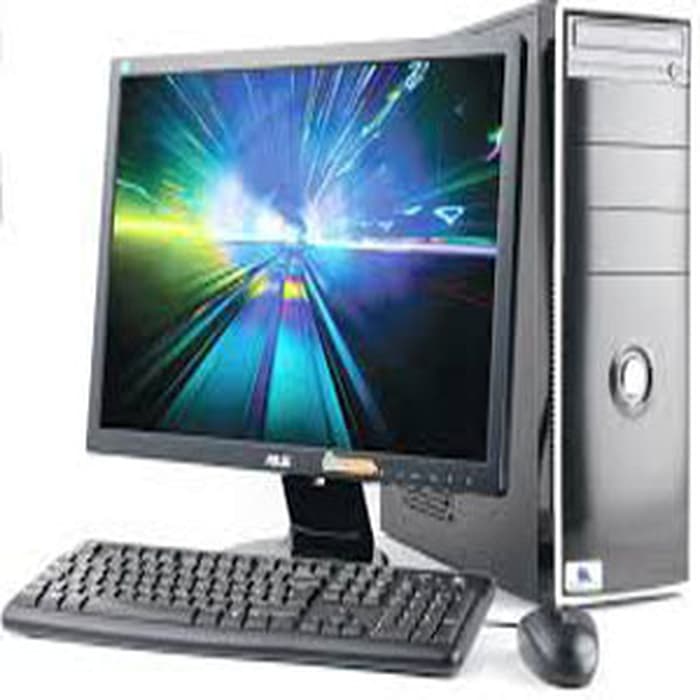
Computer for a single-user, usually that user may also the owner of that PC


3.     Shared Computer

Computers used by different users in different time. The users use their username and password to access their own account and data

4.     Display Computer

Computer used only to display material in shop, meeting, and trade show


My Experience Studying at Matana University

0


            From when I was in Junior High School until I was in Senior High School, I always scare when I think about being a university student. I saw many university students write in social media about their life as university students.

They wrote about things they must do in their university at entrance ceremony, their fierce seniors, and about their lectures.

But when I entered Matana University, I’m happy that I have many friendly friends, they also love to make jokes. There are seniors who care about their juniors and will happily help us when we ask them about our lesson, and also friendly lectures.


About Me and My Dream

0

             Hello, everybody. My name is Sabrina Yose Amelia, you can call me Sabrina. Although my parents came from North Sumatra and my older sister was born there, but I was born and raised in Tangerang with my twin sister.

            I think, having a twin sister is the most beautiful gift from God for me. My twin sister and I doing a lot of things together since we were little. We can also understand each other. Like our favorite things, activities, and each other feelings. The best things having a twin sister is we can make the other people smile and happy because of our uniqueness.

            In my family, we speak Chinese. That’s why I can speak several languages, for example Chinese, Indonesian and English. I can also understand a little Hokkien. When I was in elementary school, my older sister taught me and my twin sister about some simple Japanese words. I start to learn Japanese when I was in middle school age. Now, I am learning Korean and Germany. 

When I was little, I was interested in programming and coding, but I had never studied it and didn’t know where to start. That’s why I am happy that I can learn about programming and coding in university. I wish I can become a good programmer in the future.

Personal Computer Types

0


1.     Desktop Computer

This Computer, designed fitly to put on the desk. The desktop computer’s size may be vary. There are many types of desktop computer, such as:


a.     Full-Sized

Have separated monitors and components

b.     All-in-One

The internal components, except the keyboard and mouse, and the display are in the same case.


c.     Compact

Has smaller physical size than full-sized desktop. This is cheaper and low-power computer that design for basic task

d.     Thin Clients

A computer that runs from resources stored on a central server instead of a localized hard drive.


e.     Home Theater

Connected to home entertainment systems and typically used for amusement purpose.

2.     Tower Model

Refers to a computer in which the power supply, motherboard, and mass storage devices are stacked on top of each other in a cabinet.

3.     Notebook Computers

A compact, portable, and extremely light-weight computer

4.     Laptop

Is a small, portable personal computer with a "clamshell" form, have a thin monitor screen mounted on the inside of the upper lid of the clamshell and an alphanumeric keyboard on the inside of the lower lid.

5.     Subnotebook Computer

A portable computer that is lighter and smaller monitor screen and keyboard than a full-sized notebook computer.

Internet Service Provider

0

Internet Service provider is a company or organization that provides service for accessing the internet.

Wireless Internet Service Provider is an Internet Service Provider that allow us to access the internet without cable (wireless).


Classification of ISP

1.     Access Providers

2.     Mailbox Providers

3.     Hosting ISPs

4.     Transit ISPs


5.     Virtual ISPs

6.     Free ISPs

7.     Wireless ISP


Before deciding to choose an Internet Service Provider, we have to consider several things:

1.     Speed

The

Fiber optics has uploading speeds five times faster than cable. If you are able to afford Verizon FiOS, and live in an area where it is available to you, this should not be a tough decision for you to make.

2.     Cost

We must choose the ISP that have a good speed at a price that is not too expensive. The most important thing is the balance of speed and price.

3.     Type of Connection

The type of connection has a big influence on how fast the internet “feels”.

Computers Based on Their Intended Use

0

 1.     Microcomputer

Also known as Personal Computer, is a common type of computer. This type of computer designed to be used by single person.


Some of the microcomputers are:

·       Desktop Computers

·       Rackmount Computers

·       In Car Computers

·       Laptop Computers and Notebook Computers

·       Tablet Computers

·       Smartphones, Smartbooks, and Palmtop Computers

·       Programmable Calculator

·       Video Game Consoles

·       Handheld Game Consoles


2.     Minicomputers (Minis)

Mid-range computers usually known as Minicomputers, is a multi-user computer. These computers can support up to hundreds users.


3.     Mainframe Computers

A powerful multi-user computer capable of processing a large amount of data in a short time.


4.     Supercomputers

Super fast and expensive computer that are focused in solving complex science, engineering problems, and numerical calculation. Consists of multiple computers working in parallel as a single system.

Generation of Computers

0


1.     First Generation Computers

First generation of computer’s period was from 1946-1959. The system used Vacuum Tube for circuitry and magnetic drum for its memory. This computer has  enormous size, produce a lot of heat, and use a great deal of electricity.


2.      Second Generation Computers (Transistor)

Second generation of computer start from 1956 until 1963. The vacuum tube has been replaced by discrete transistor, which is smaller, faster, cheaper, and consume less power. The transistor was invented at Bell Labs in 1947.

Second generation computers use assembly language instead of binary machine language.


3.     Third Generation Computers (Integrated Circuits)

The period was from 1965-1971. This generation use Integrated Circuits (ICs) instead of discrete transistor. The users interact with this generation’s computer through keyboards, monitors, and interfaced with operating system.

The Integrated Circuits was invented by Jack Kilby


4.     Fourth Generation Computers (Microprocessor)

This generation was from 1971 until present. The computers in fourth generation use the microprocessor and Very-Large-Scale Integration (VSLI) to replaced ICs.